
The Best Student Planners: Weekly Planners That Get Used
You buy a new planner, write every class in your nicest handwriting, and feel fully organized for about four days. Then one busy week hits, the planner stays in your backpack, and suddenly you are back to checking three apps and a crumpled syllabus. The best student planners do not need a perfect setup to work. They give you enough room to see your week, track school deadlines, and start again after you miss a few days.
This guide will help you choose a weekly planner by the way you plan, not by the prettiest cover. You will also find a few low-cost planner setups for students who need more room, fewer prompts, or a system that can change during the semester.
Quick note: some of the links below are affiliate links, so I may earn a small commission if you buy something, at no extra cost to you. I only ever link to things I would genuinely recommend.
For a free printable option, try The Study Week Planner. You get six worksheets and a cover to plan your week, track tests, and keep notes. Print only the pages you need.
What Makes a Good Student Planner?
A good student planner shows your week at a glance and gives every assignment a clear home. You should be able to open it during class, write one line, and close it without setting up a whole spread first.
Look for monthly pages for exams, projects, breaks, and school events. Weekly pages should have enough room for each day plus one open area for tasks that do not have a set time. A planner also needs to fit the bag you carry most. A huge desk planner can be lovely at home, but it cannot help when your professor changes the due date while you are sitting in class.
The layout matters more than the brand. If you think in time blocks, choose vertical columns or an hourly spread. If you think in lists, choose a horizontal week with a notes page. If dates make you nervous because you skip weeks, an undated planner lets you restart without staring at twelve unused pages.
The Best Student Planner for a Fresh Start Anytime
The Clever Fox Undated Weekly and Monthly Planner (https://www.amazon.com/dp/B079GXFR7S/?tag=happyologie0a-20) works well for students who want structure without being tied to a January or August start. It has monthly and weekly views, goal pages, and room to map out the parts of life that do not fit under one class name.
Because it is undated, one missed week does not waste a page. You can come back on a random Wednesday, write the date, and keep going. That makes it a strong pick if you have abandoned dated planners before or if your schedule changes between a school term, work, and summer.
The extra goal pages may help if you like checking in on bigger plans. If prompts start to feel like homework, skip them. The weekly pages can still do the main job: hold your deadlines, appointments, and next steps.
The Best Weekly Planner Setup for Students Who Need More Space
A plain notebook can be the best weekly planner when printed boxes always feel too small. The Five Star one-subject spiral notebook (https://www.amazon.com/dp/B003O2RXO2/?tag=happyologie0a-20) gives you a full spread for each week, so you can make the boxes match your schedule instead of squeezing your schedule into the boxes.
Draw one line down the middle of two open pages. Put Monday through Thursday on the left and Friday through Sunday on the right. Save the bottom corner for tasks that can happen any day. This setup takes about a minute and gives you more writing room than most compact planners.
Use writable sticky index tabs (https://www.amazon.com/dp/B09DPZ5RGT/?tag=happyologie0a-20) to mark the current month, your assignment list, and any page you need often. The tabs keep a homemade planner from turning into a notebook you have to flip through every morning.
This setup is a good fit if you have several classes with long assignment names, work shifts that change, or club plans that need their own space. It also costs less than many bound planners, which helps if you are still figuring out what kind of weekly layout you like.
The Best Reusable Planner for a Digital Backup
The Rocketbook Core reusable notebook (https://www.amazon.com/dp/B071Y3MSRK/?tag=happyologie0a-20) is useful when you like writing by hand but want a digital copy. You write with the compatible pen, scan the page with the Rocketbook app, and wipe the page clean when you are ready to reuse it.
It does not come with a fixed student-planner layout, so it works best if you are willing to draw a quick weekly spread. The tradeoff is flexibility. One week can use an hourly grid for midterms, and the next can use a short list for a lighter schedule.
Scanning the finished page also gives you a record before you erase it. That can help when you want to check what you finished, look back at a study plan, or keep project notes without carrying every old page. If you already use Google Drive for class files, you can send scans into the same folders.
How to Choose Between Dated and Undated Student Planners
Choose a dated planner when you want the whole academic year ready to use. It is faster because the weeks, months, and dates are already printed. You can add your class schedule and begin.
Choose an undated planner when you want to start now, expect to skip breaks, or tend to stop using a planner during busy weeks. You will spend a little more time adding dates, but you can restart without wasting pages.
An academic-year planner can also make sense when your life follows the school calendar. A January planner may split your school year in the middle, while an August-to-July planner keeps both semesters together. Before you buy, check the exact date range. A cover photo can look current even when the inside dates belong to last year.
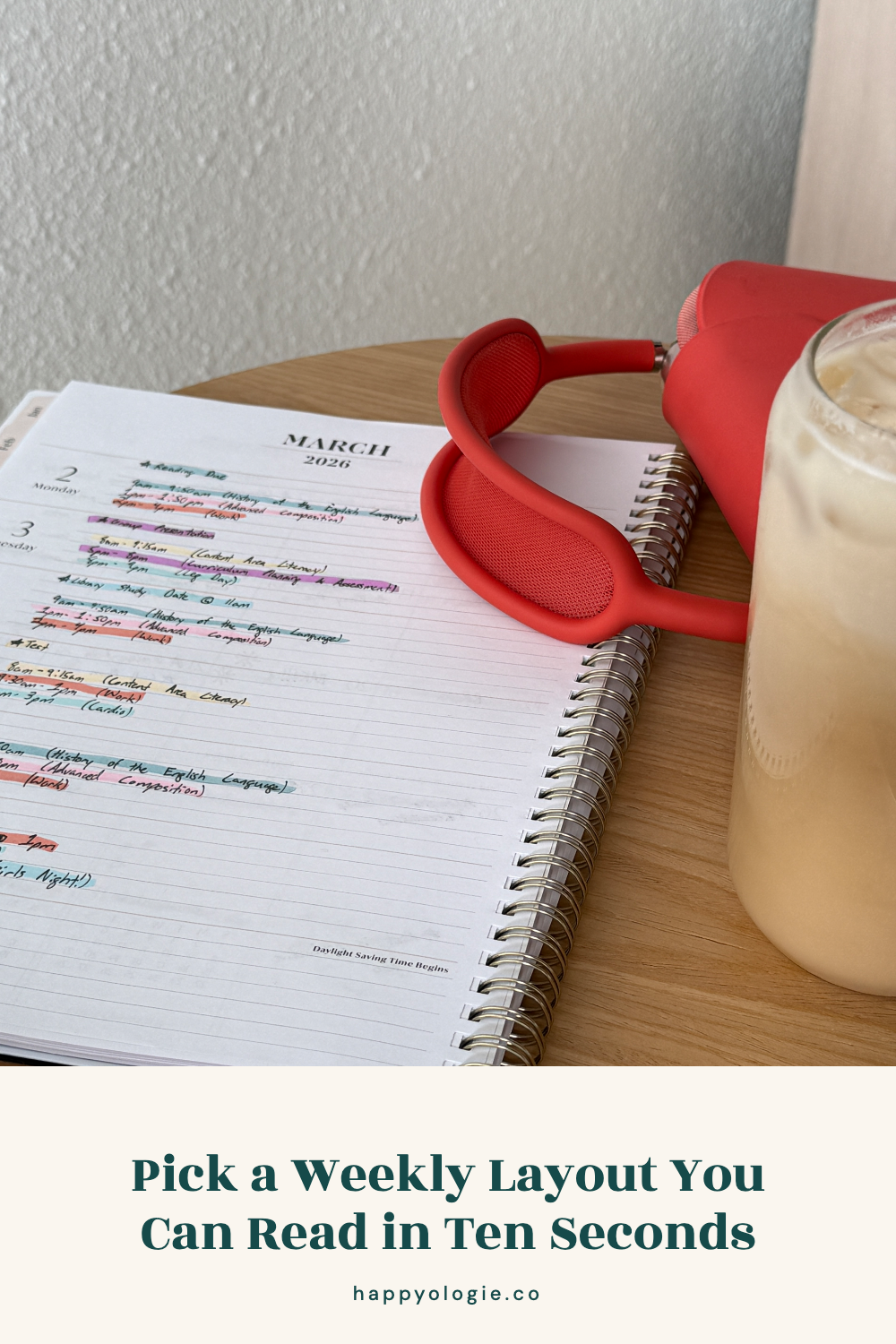
Pick a Weekly Layout You Can Read in Ten Seconds
The right layout lets you answer three questions fast: What is due today? What is coming next? Where do I have room to work on it? If you need to decode colors, move sticky notes, and read six separate lists, the planner is making your week harder to see.
A horizontal layout is good for homework lists and short notes. A vertical layout is good for students who plan around class times, practice, work, or appointments. A dashboard layout puts the week on one page and a large task list on the other, which helps when you know what needs to happen but do not know the day yet.
Before buying, zoom in on a photo of the weekly spread. Imagine writing your longest class name and a real assignment in one daily box. If it does not fit on the product photo, it will not fit when your week gets busy.
How to Use a Student Planner Without Abandoning It
A student planner gets easier to use when you give it one short weekly check and one quick daily check. Spend about 20 minutes once a week moving deadlines from your syllabus, learning platform, texts, and email into one place. The weekly planning routine for students (https://www.happyologie.co/blog/how-to-plan-your-week-as-a-student) walks through that process without turning Sunday into a two-hour planning meeting.
Then open the planner once in the morning and once before you stop schoolwork. In the morning, choose the next task. At the end of the day, move anything unfinished to a real day instead of drawing an arrow into the future and hoping you remember what it means.
Write tasks as visible actions. “Biology” is hard to start. “Review chapter five notes and answer questions 1 through 10” tells you what to do. If the task will take more than one study session, write the first part on one day and the next part on another.
Your planner also needs room for rest, meals, friends, and travel time. A schedule packed edge to edge will stop being useful the first time class runs late. The productivity tips built for real student schedules (https://www.happyologie.co/blog/practical-productivity-tips) can help you plan around the time and focus you have instead of the week you wish you had.
Use One Planner as Your Main Home
Your planner can work with school apps, but it should not compete with five other planning systems. Keep official due dates in the course platform if your school requires it. Then copy the deadlines you need to act on into your planner.
You can use your phone calendar for events with a set time and your paper planner for schoolwork. That is still one system because each tool has a clear job. Trouble starts when the same assignment might be in your notes app, on a sticky note, inside a group chat, or somewhere in the planner.
When you add a large exam or paper, schedule the work before the due date. A final date tells you when the work ends. A work session tells you when it begins. If you want a study method that fits inside those sessions, the Pomodoro Technique for studying (https://www.happyologie.co/blog/pomodoro-technique-for-studying) gives you a clear start and stop point.
The Best Planner Is the One You Can Restart
A planner does not have to hold a perfect record of your semester. It needs to help you see the next week and make a few good choices before everything feels urgent.
Pick the layout that matches the way you already think. Put every school deadline in it, choose a weekly time to check it, and leave enough open space for a normal human week. If you forget it for three days, open to the next page and begin there. That restart is part of using a planner, too.
You Might Also Like
Build a morning routine that fits school (https://www.happyologie.co/blog/how-to-craft-a-powerful-morning-routine-for-students)
Make a finals study plan when you feel behind (https://www.happyologie.co/blog/how-to-study-for-finals-when-you-feel-behind)
Try a weekend reset routine for students (https://www.happyologie.co/blog/spring-weekend-reset-routine)
Find more Happyologie student guides (https://www.happyologie.co/blog)
