
How to Use a Planner in College Without Abandoning It
You buy the planner. You write your name inside, pick a color for each class, and fill the first week with careful handwriting. Nine days later, a loose worksheet is covering Tuesday and the planner has moved to the bottom of your backpack.
Learning how to use a planner in college has less to do with the planner you buy. It comes down to what you put in it, when you check it, and how fast you can get back in after missing a few days.
Your planner does not need to hold every thought or make your schoolwork look cute. It needs to answer three questions: What is coming? What needs to happen next? What am I doing today?
To try a paper planner, get The Study Week Planner for free. It includes six printable worksheets and a cover for your week, tests, and notes.
Choose a Planner You Can Check Fast
The best college planner is one you can open in a few seconds and read without hunting for the important part. Paper, digital, and a mix of both can work. Pick the one that fits how you already move through school.
A paper planner works well if writing helps you remember and you like seeing a full week on two pages. A digital planner works well if class times change, you need alerts, or you always have your phone nearby. A mixed system can use a phone calendar for events and a paper planner for school tasks.
If you use two tools, give each one a clear job. Put events with a start time in the calendar. Put work you need to finish in the planner. Do not write the same item in four places and hope all four stay current.
Look at the space on each page before buying a new planner. Can you write “Read pages 42–58 and answer questions 1–4” in Tuesday’s box? Can you see the next month? Can you find this week without flipping through stickers, notes, and pages you never use?
Set Up Your College Planner From Every Syllabus
Set up your planner during the first week by moving every known test, paper, project, and due date out of your syllabi. This gives you one place to see the semester instead of five class pages you have to remember to check.
Open one syllabus at a time. Start with major dates, such as exams, papers, project deadlines, presentations, and school breaks. Then add smaller work that has a clear date, including quizzes, weekly posts, reading checks, and lab reports.
Mark the class beside each item. “Discussion post due” will make no sense when three classes use discussion boards. “SOC 101 discussion post due at 11:59 p.m.” tells you what to open and when it closes.
Check the online class page after you copy the syllabus. A professor may have changed a date or added a task in Canvas, Blackboard, Moodle, or Brightspace. Northern Illinois University’s guide to using calendars and planners recommends planning for the term, the week, and each day. Those views have different jobs, and the semester dates give all three a place to start.
Write Down New Work Before You Leave Class
A college planner stays useful when new work goes into it as soon as you hear about it. Write the assignment before you pack your laptop, leave the classroom, or close the class page.
Use the exact due date and time. “Friday” may mean the start of class, 5:00 p.m., or 11:59 p.m. Add the time when your professor gives one. If the task needs to be printed or brought to class, write that too.
When the professor says, “I moved the quiz to Monday,” change the old date at once. Cross it out on paper or move it in the app. Leaving both dates in place gives Future You a small mystery that she did not ask for.
Online classes need the same capture habit. Check the course home page and school email at one set time each weekday. Move new work into your planner, then close the tabs. Your planner becomes the place you work from, while the class sites remain the place you confirm details and turn things in.
Break Big Assignments Into Planner Dates
A due date tells you when the work ends. Your planner should also show when the work begins and what happens between those two points.
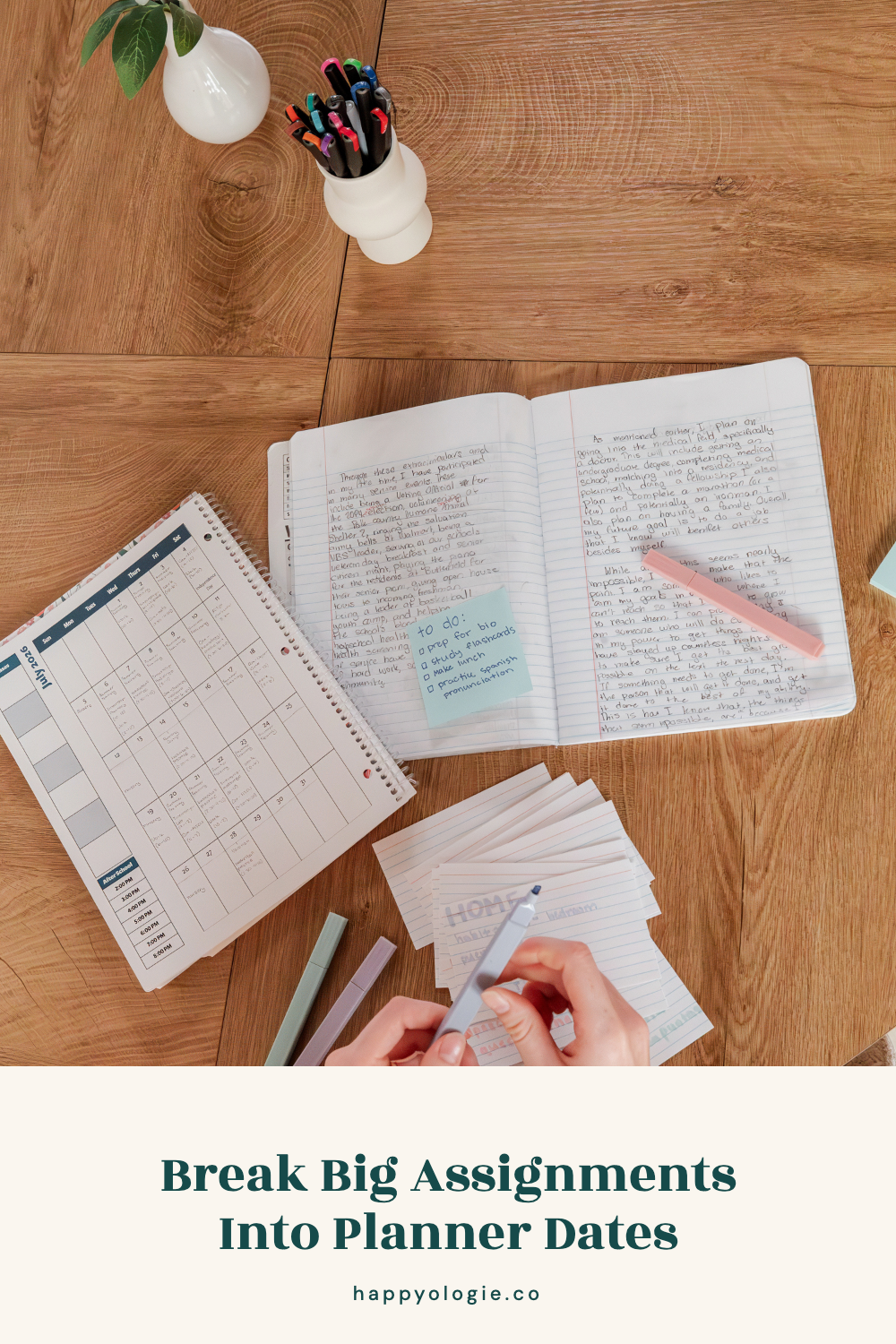
For a paper due in three weeks, add a few work dates before the deadline. One day can be for choosing the topic. Another can hold research. Then add the outline, first draft, edits, and final upload. Each step should be small enough to finish in the time you have.
The same idea works for exams. Add short review sessions across several days. Name the topic for each one, such as “Chemistry: practice problems from chapters 4 and 5.” That gives you a clear starting point when you sit down.
EHL Hospitality Business School’s advice for staying on top of college assignments also recommends putting syllabus dates in a planner and splitting large projects into smaller deadlines. The last date protects the due date. The earlier dates protect you from trying to do the whole project on Thursday night.
If starting is the part that keeps getting pushed, the Happyologie guide to study starters for low-motivation days has small ways to begin the task already written in your planner.
Plan the Week Without Rewriting Your Whole Life
Use a short weekly check to pull the next seven days into view. You do not need to copy every semester date onto a new page. Look ahead, find what is due, and decide what needs time before each deadline.
Pick a repeat time that is easy to remember. You might check on Sunday after dinner, Friday after your last class, or Monday before the day begins. Keep it to about fifteen minutes unless the week has a large project or exam.
Start with anything that changed. Add a work shift, moved class, meeting, appointment, or plan with a friend. Then place the next steps for school around those events.
The live Happyologie post on how to use a weekly planner goes deeper into building that seven-day view and includes a planner you can fill in. This college guide stays with the schoolwork system that feeds that weekly page.
Make a Daily List Your Day Can Finish
Your daily planner should name the schoolwork and life tasks you can finish around that day’s classes and plans. Start with one to three main tasks. Add short jobs only if they can fit.
Write tasks as actions. “English” is a class name. “Write the first two body paragraphs” tells you what done looks like. “Study biology” is wide open. “Make flashcards for cell parts” gives the study block an edge.
Estimate the time beside a task when the day is full. A ten-minute email can fit before class. A two-hour lab report cannot. If you keep moving the same task, the time may be wrong or the first step may still be too big.
Include tasks outside school when they matter. Pick up medicine, wash your work shirt, call your grandmother, and buy food are all real uses of time. Leaving them out does not make them disappear. It makes the planner less honest.
Check Your Planner at Three Useful Moments
Checking the planner matters more than filling it in once. Tie each check to a point in the day when the information can help you.
Check it in the morning before you leave or open your first class. Read the whole day, including due times and anything you need to bring. This is when you notice that the lab needs closed-toe shoes or the paper needs a printed copy.
Check it after your last class. Add any work your professors gave that day. Look at the evening before going home, to practice, or to work. Choose what will still fit based on the time and energy you have left.
Check it before bed. Cross off what is done, move any unfinished task that still matters, and read tomorrow. This should take about two minutes. Put the planner in your bag or leave it open beside the laptop you will use in the morning.
If you keep forgetting the checks, attach one to something you already touch. The Happyologie post about micro habits students can keep explains how a small action can follow an existing part of your day. Your first planner check could happen when you plug in your phone after breakfast.
Use Marks That Tell You What Happened
A small set of marks can keep a paper planner clear. You might use a check for finished, an arrow for moved, and a line through work that no longer needs to happen.
Keep the key where you can remember it. Three marks are enough for most school planners. A set of twelve symbols can turn “email my professor” into a code you have to study first.
Moving a task is useful when you give it a new date. Drawing an arrow with no new home means the task is still floating. Turn the page, choose the day, and write it there before you close the planner.
Color can help when it has a job. One color per class may make due dates easier to scan. Ten colors for ten types of tasks may slow you down. Use the fewest marks and colors that let you understand the page in one look.
Restart the Planner After You Miss Days
Restart a planner by opening to today, checking every class page for current work, and writing the next due items. You do not need to fill the blank pages between the last check and now.
First, make sure nothing is late or due today. If you missed work, write the task and send the needed email. Then look seven days ahead. Add or update the next test, paper, quiz, shift, and meeting.
Cross out old tasks that no longer matter. Move the ones that still do. Wipe away app alerts that are already past. A clean current page is easier to trust than a page full of old warnings.
If the planner keeps getting lost in your room or bag, change where it lives. Keep it on top of your laptop, beside your keys, or open on your desk. A planner under three notebooks and a sweatshirt is doing a fine job of hiding, but it cannot help with Tuesday’s quiz.
Do not buy a new planner because one week went blank. Use the page you already paid for. The restart can happen on a Wednesday afternoon in the middle of October.
Add Extra Pages Only When You Need Them
Habit trackers, meal plans, mood logs, and decorated pages can be fun. Add one when it solves a problem you have or makes you want to open the planner.
Wait until the basic system is easy. You should be able to add new work, check the week, choose today’s tasks, and move unfinished work. Extra pages should support those habits rather than take the time meant for them.
If you want more room to draw your own pages, bullet journal page ideas for students can help you choose pages you will use. You can borrow one idea without rebuilding the whole notebook.
Open the Planner You Already Own
Find the planner in your backpack, desk drawer, or pile beside the bed. Open to today. Write the next due date for each class, then add the first step for the closest one.
Leave the planner where you will see it tomorrow morning.
You Might Also Like
Build a study routine around the days you have
Use the Eisenhower Matrix for a crowded task list
